GPS Status
A GPS icon has been added to the map that will provide location and location status information, which is read from the Live911GpsProxy application. The icon in the map can be left-clicked to display more information about the GPS location updates. The icon will display a normal GPS symbol to indicate that an updated location is being provided. It does so by periodically checking the timestamp of the last GPS update.
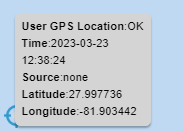
 The icon will turn red, if the timestamp of the last update was over a minute long, to warn the use that there has not been a recent GPS location update.
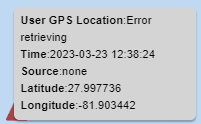
Note that if the Live911GpsProxy application is not running, then location will be pulled from the browser. “Browser” in this case refers to Live911 asking the browser for the location, which results in the location coming from windows location services, if permitted by policy.